Solo Travel Check-Ins: Staying Contactable Without Broadcasting Your Number
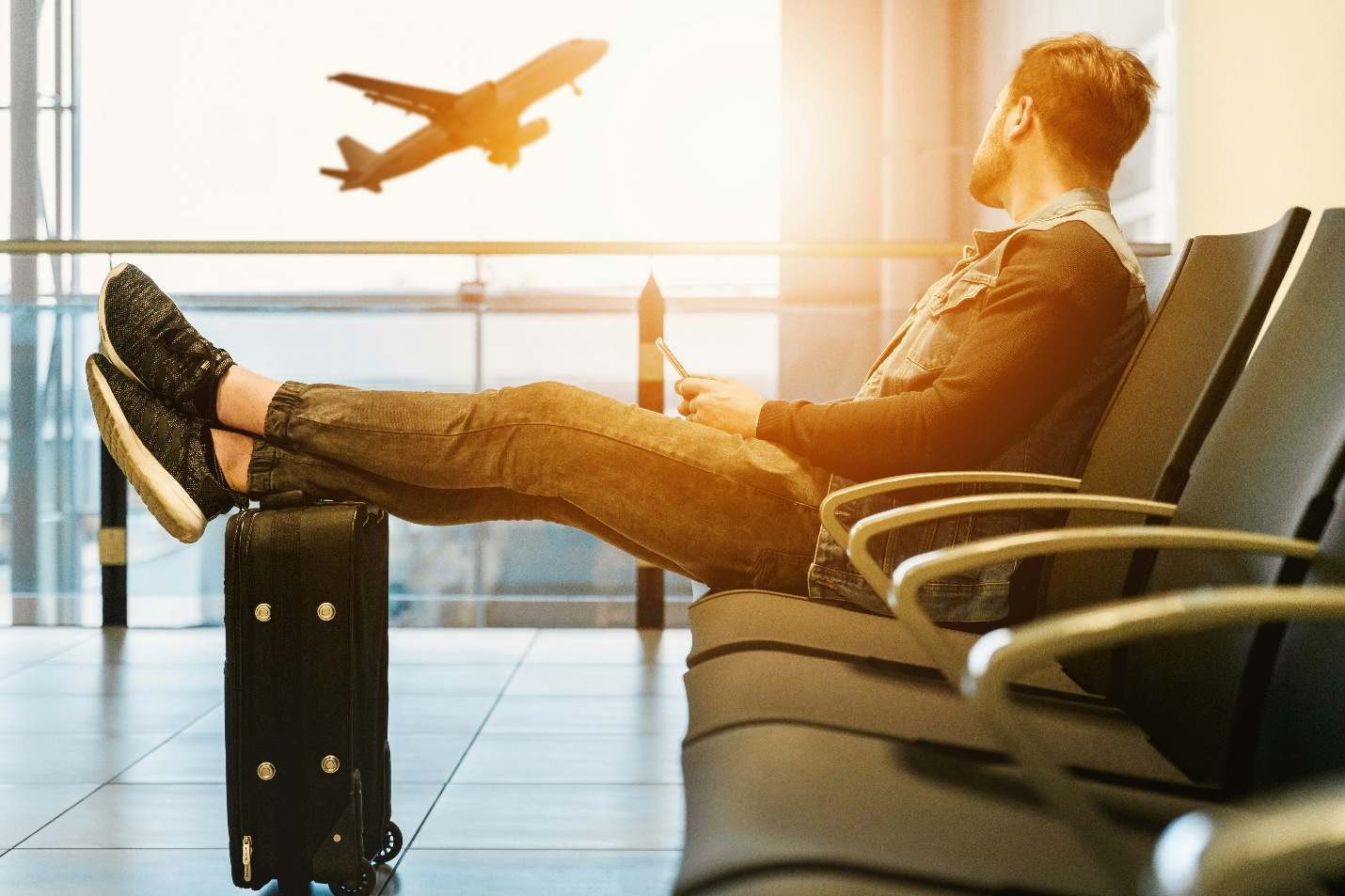
Traveling alone offers an incredible feeling of freedom, but it’s also a constant test of self-reliance. When there is no trusted travel companion nearby, a simple rule takes priority: someone close to you should always know where you are and that you’re doing okay. A short message to your parents, a location pin sent to a friend, or a regular morning check-in are the basic steps that give your loved ones peace of mind and boost your own confidence on the road. The main difficulty is that you have to solve hundreds of small day-to-day logistics at the same time. Get a local SIM card, register in a local ride-hailing app, confirm a reservation with the host, or check in with a guide before trekking — they require a phone number everywhere. By handing out their primary contact right and left, a solo traveler risks unpleasant consequences: from intrusive attention and message spam to spam calls and personal data leaks.
A reasonable question arises: how to remain accessible to relatives and promptly handle local logistics, without making your personal phone number public domain? In fact, it all comes down to good digital hygiene. In this article, we will discuss in detail how to separate communication channels during a trip, set up private security signals for the family, hide the number in popular messengers, and, if necessary, use temporary virtual numbers like gettempnumber.com for one-time confirmations in local applications.
Keeping Local Contacts at a Safe Distance
When you travel alone, the line between convenient service and invasion of privacy blurs very quickly. In a foreign city, you are constantly dependent on the locals: you need to negotiate with the landlord about electricity meters, check the collection point with the driver, or contact the kayaking organizer. And almost always, the first thing they ask you is to “drop off your WhatsApp number.” The problem is that your personal number is not just a number. This is the actual key to your life: your bank account is linked to it, your main messenger profile with family photos, and, most likely, your social networks are linked to it. When you give it to strangers in another country, you’re leaking too much information.
To prevent this from happening, turn on the “two digital circuits” mode on a solo trip. The first one is your private one. You keep a real SIM card with bank SMS and communication for mom and dad in the “only for loved ones” mode. You do not display this number either in applications, when ordering food, or when communicating with guides.
The second is a burner option. For all on-site household contacts, you use alternative options:
- Usernames only: Instead of a number, give the drivers or hosts a username in the messenger (for example, in Telegram), having previously hidden the number itself in the privacy settings.
- A second (local) SIM: Use it exclusively for internet and local calls if they are unavoidable.
- Temporary numbers: If a local service (such as delivery or a local bike rental service) requires SMS confirmation to log into the app, it’s easier to use a temporary virtual number, get the code, and forget about it.
Maintaining this buffer saves a lot of stress. If one of the locals starts crossing borders or spamming, you simply close the dialogue or discard the temporary number, and your real life and personal data remain completely safe.

How to Update Loved Ones Safely on the Road
The point of a check-in on a solo trip is to quickly let your loved ones know that you are safe, without leaving any public traces. To do this, you need to separate the channels: the family gets your exact location, and outsiders get a minimum of information.
Here are 3 working tools for secure communication:
Automatic smartphone functions:
- Apple Check-In (“Status”): Set the destination (for example, the address of the hotel). If you didn’t get there on time, your smartphone will automatically send your route and battery charge level to a trusted contact.
- Background geo-location sharing: Select 1–2 close people in Google Maps or “Find My” and turn on the permanent geo-location broadcast. This eliminates the need to write messages at every step.
Strict privacy settings in messengers:
- Telegram: In Settings → Privacy → Phone Number, set “Who sees the number” to Nobody, and “Who can find the number” to My contacts. To contact the guides and hosts, use only the nickname (@username).
- WhatsApp: Not suitable for communicating with strangers, as it opens your number. It is better to conduct all everyday conversations on the spot in internal Booking/Airbnb or Telegram chats.
Communication regulations and emergency protocol:
- Arrange for two control points per day (for example, at 09:00 and 21:00).
- Before difficult sections of the route (night bus, tracking), send your loved ones a hotel reservation, carrier contacts, and a deadline for contacting them, after which they must contact emergency services or insurers.
Conclusion: Freedom Starts With Good Digital Hygiene
Solo trips are about freedom and excitement, but only as long as you don’t have to clear out spam or fend off unwanted messages from strangers. Protecting your privacy in a foreign country is absolutely normal, and the easiest way to do this is before departure. The main conclusion is simple: you don’t have to choose between your own safety and solving everyday problems. It is enough to set up digital boundaries once to explore the world calmly.
When your personal number is hidden from casual eyes, and communication with your loved ones is not in danger, you get the most important thing — complete peace of mind and control over your trip from the first to the last day.
Follow the rest of the Top Experiences series
- TOP TWENTY THINGS TO DO IN EGYPT
- WHY YOU SHOULD VISIT MALTA
- TOP FUN THINGS TO DO IN HAMPI
- 10 HISTORICAL PLACES TO ROAM ACROSS THE WORLD
- 10 HISTORICAL MARVELS OF ITALY
- 10 BEST SHOWS IN EUROPE YOU MUST SEE
- DUBAI THRILLS: 7 MUST-DO ACTIVITIES
- 10 HISTORICAL MARVELS IN TURKEY TO ENJOY WITH KIDS
- MOST ENCHANTING PALACES IN EUROPE
- IN‑BETWEEN MOMENTS IN ASPEN
RESPONSIBLE TRAVELING-BECAUSE I CARE


